
Browse all guides
Get paid
Issue a credit note
Reduce what a customer owes for returned goods or an invoice mistake, and link it to the original e-invoice.
Before you start: The original sales invoice should already be submitted as an e-invoice, so you can link the credit note to it.
Steps
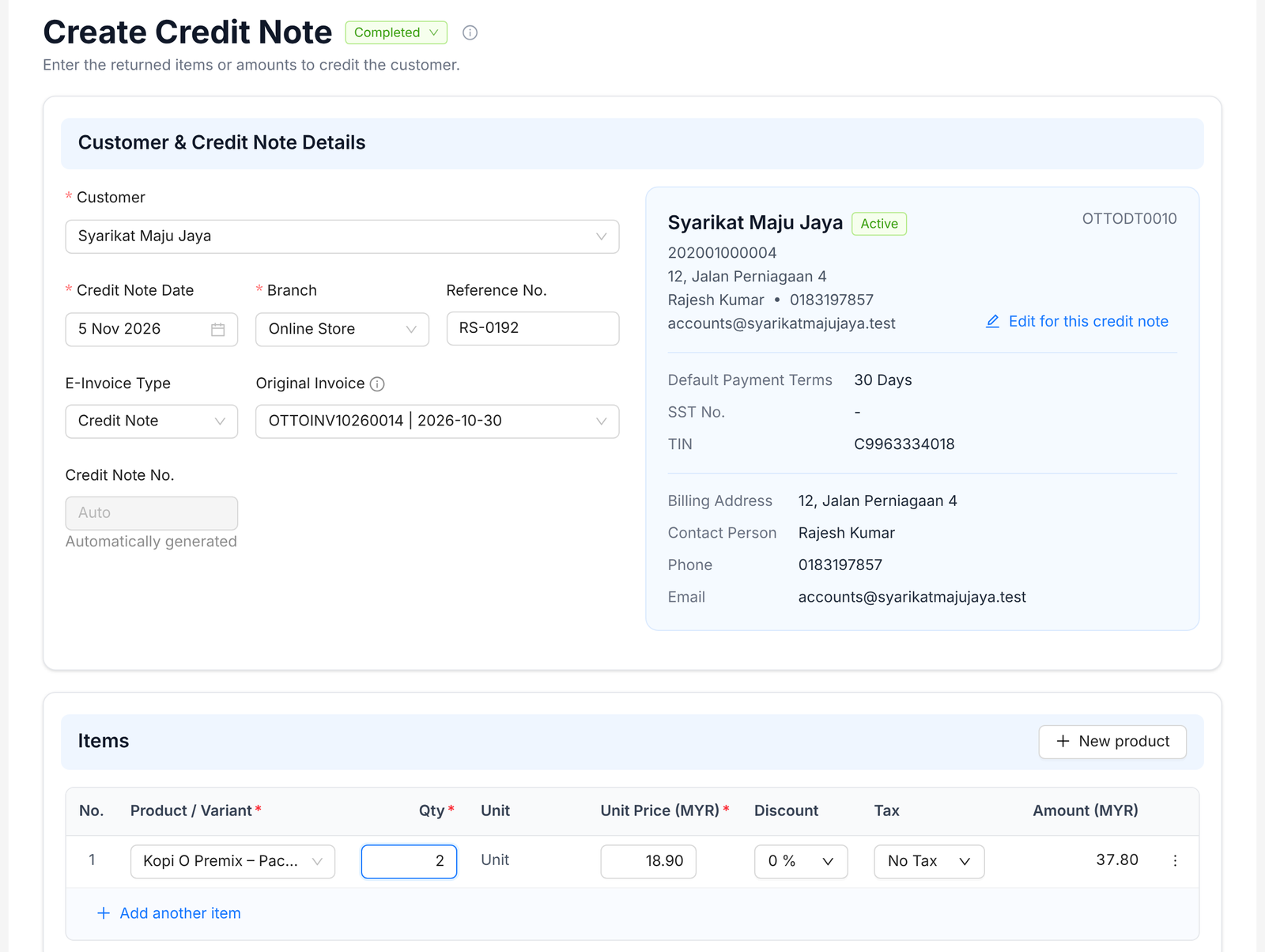
- 1Go to Sales › Credit Note and click Create.
- 2Pick the Customer and set the Credit Note Date and Branch.
- 3Add a Reference No., e.g. the return slip number.
- 4Leave E-Invoice Type as Credit Note.
- 5Under Original Invoice, pick the submitted invoice this credit note corrects.
- 6Under Items, add the products and quantities being credited.
- 7Set the status to Completed and click Create Credit Note.
- 8Open the credit note and click Submit Tax Invoice to send it to MyInvois.
Tip: The original invoice is sent to LHDN as the billing reference. Only the customer's submitted invoices show in the list.
FAQ
What does a completed credit note do?
It reduces the customer's balance and posts to your accounts.
I made a mistake on a credit note.
Cancel it to reverse it, then create a new one.
Why is my invoice missing from Original Invoice?
Only invoices already submitted as e-invoices show there. Pick the customer first, then search again.
Related
Submit an e-invoiceSend a completed sales invoice to LHDN through MyInvois. Duitbooks adds the e-invoice details and QR code to it.Create a sales invoiceBill a customer for what you sold. Mark it completed once it's right, so it counts in your reports.Record a payment receivedWhen a customer pays, record the money in and link it to their invoices. Their balance updates for you.