
Match your bank statement to your books.
Upload your bank statement PDF. Duitbooks reads the lines and suggests a match for the ones it is confident about. Nothing is matched until you confirm it.
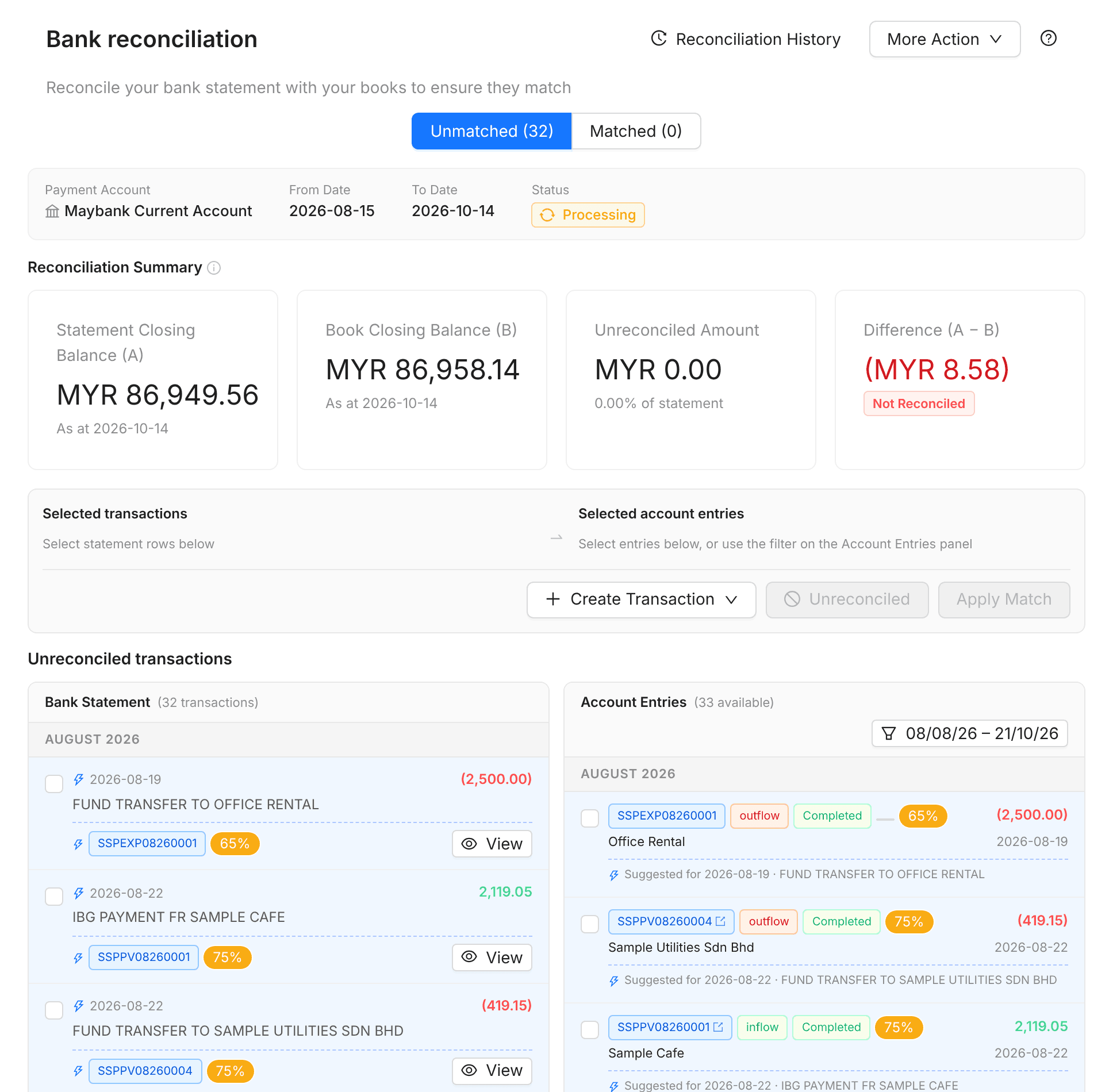
Four steps, no spreadsheet
Upload the statement
Upload your bank statement as a PDF.
Review suggestions
Each suggestion shows a score from the amount, date and description.
Apply the match
Select the lines you agree with and press Apply Match.
Complete and print
Finish the reconciliation and print the statement.
Clear about what is left over
Lines with no confident match get no suggestion, so you decide what they are.
Every account, one ledger view
Bank accounts
Each with its own ledger of money in and out.
Cash and clearing accounts
Track petty cash and money in transit.
Payment vouchers
Record payments with a proper voucher.
What it does today
Maybank PDF statements
CIMB, Public Bank, RHB and Hong Leong Bank are planned next.
PDF upload, not a bank feed
Duitbooks does not connect to your bank account.
Statement upload is in beta
Labelled beta in the app while we add more banks.
Frequently asked questions
Which banks are supported?
Maybank PDF statements today. Support for CIMB, Public Bank, RHB and Hong Leong Bank is planned.
Does Duitbooks connect to my bank?
No. You download the statement PDF from your bank and upload it.
Does it match everything automatically?
No. Duitbooks suggests matches it is confident about, and nothing is matched until you confirm it.
Can I print the reconciliation?
Yes. Complete the reconciliation and print the bank reconciliation statement.
Bank matching made simple. Start free today.
For new and small Malaysian businesses. No credit card needed.