
Simplify accounting,
amplify business.
Invoicing, LHDN e-invoicing, bills, bank matching and reports, all in one place.
Clear, simple screens that show you what to do next.
Made for Malaysian businessesFree during beta, no credit card
From the first quote to month-end reports.
Everything an owner does in a month, in one place. No accounting background needed.
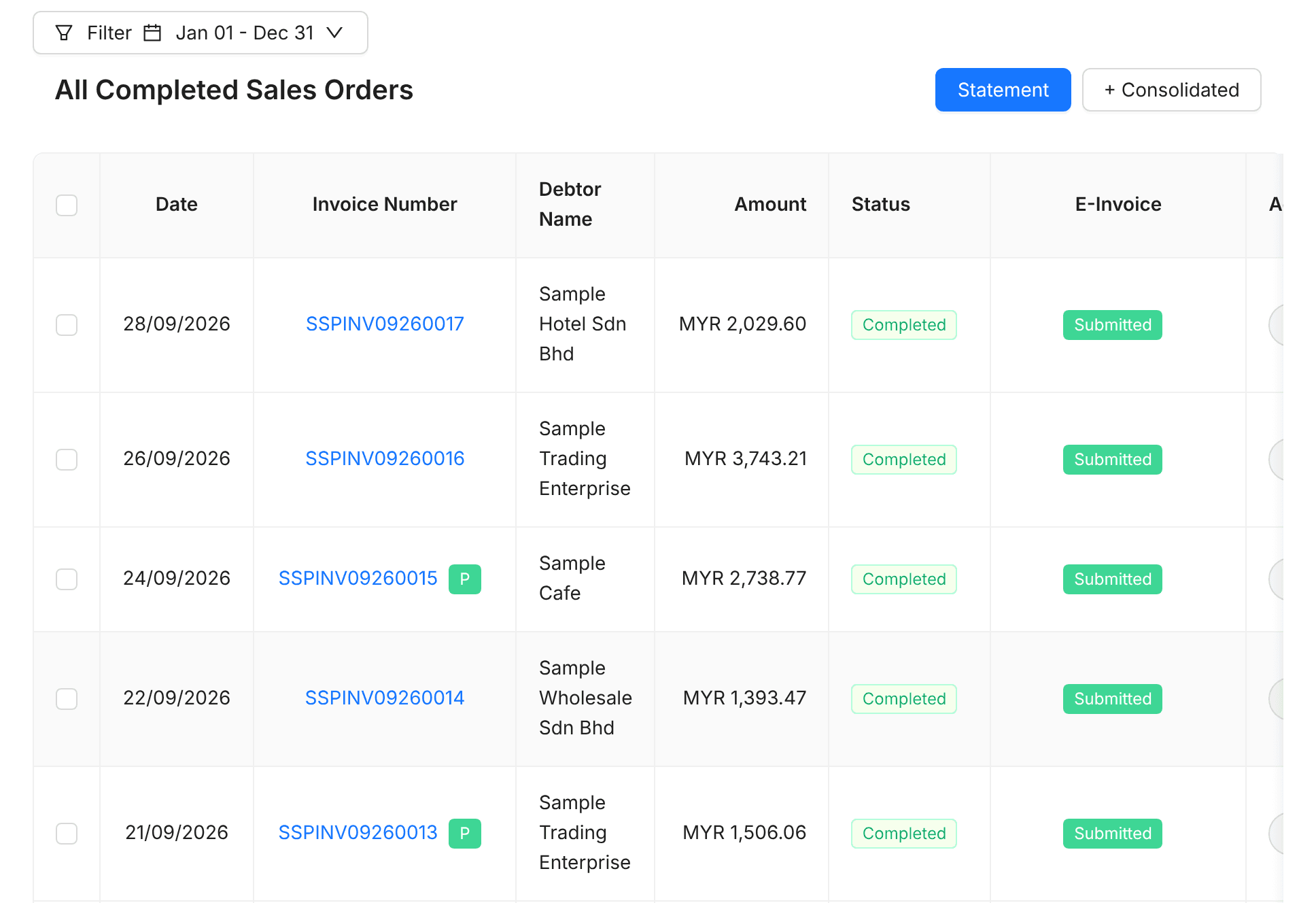
Quote, deliver and invoice in a few clicks.
Turn a sale into a quotation, a delivery order and a sales invoice, all with your logo on the PDF.
- Quotations, delivery orders, invoices and credit notes
- Your business logo on every PDF
- Email the invoice to your customer
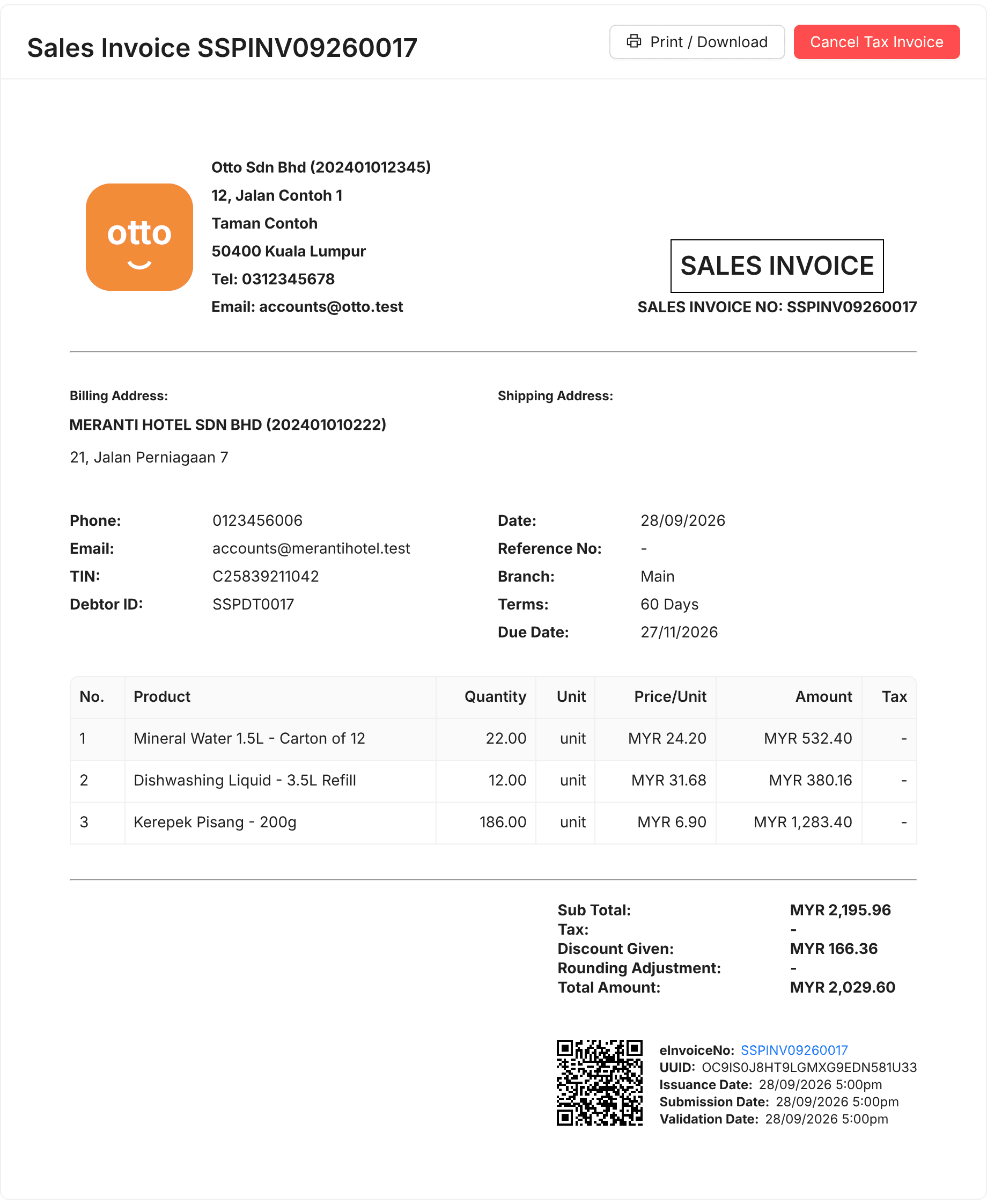
Submit e-invoices to LHDN from the invoice.
Check the customer's TIN, submit to MyInvois and keep the validated copy with its QR code.
- Validate a customer's TIN before you submit
- See the LHDN result on the invoice
- QR code and UUID on the validated invoice
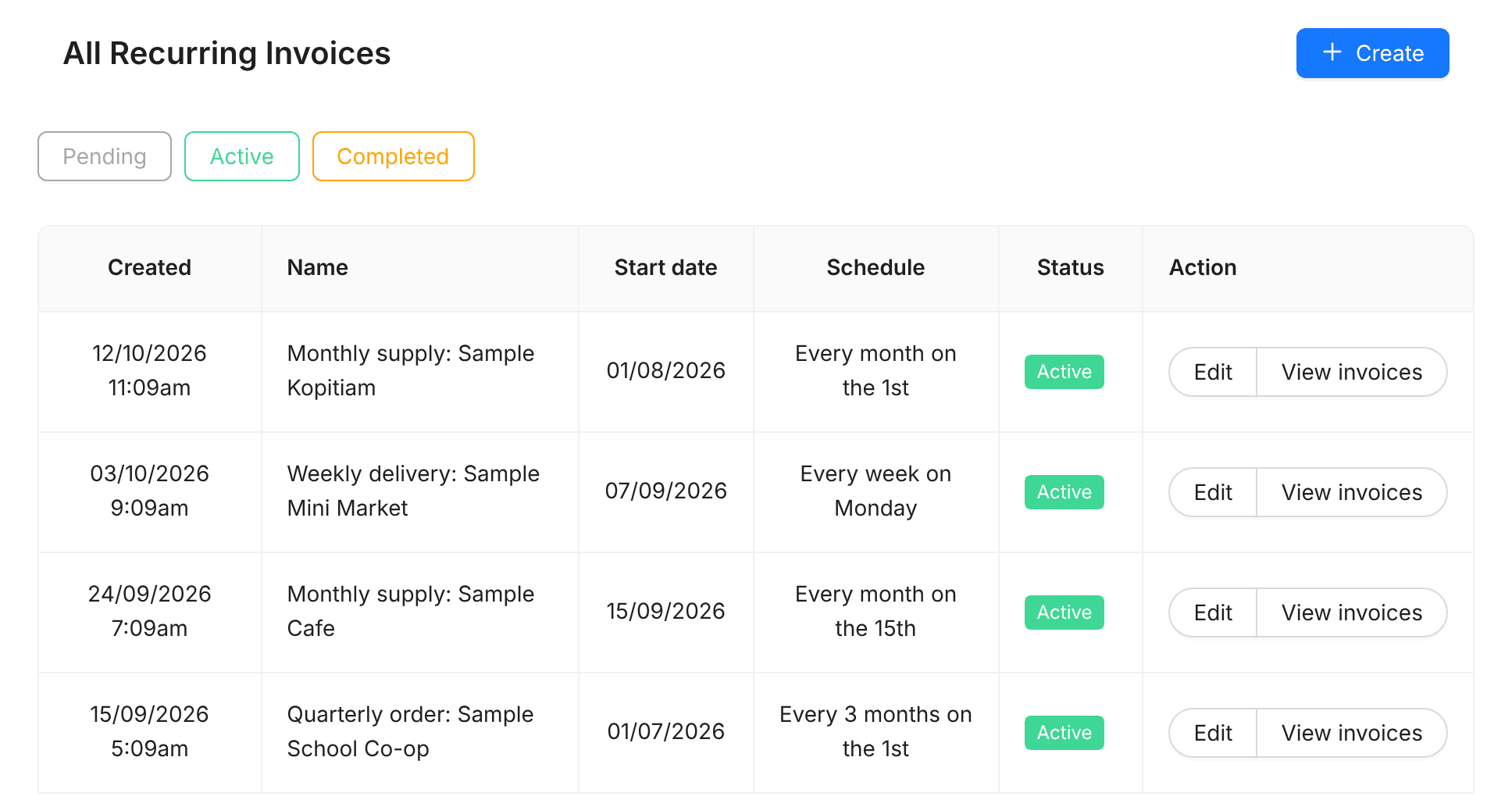
Bill the same clients every month, once.
Set up retainers and subscriptions once. Duitbooks creates each invoice on schedule.
- Choose the customer, items and schedule
- Each invoice is created for you
- Pause or edit the schedule any time
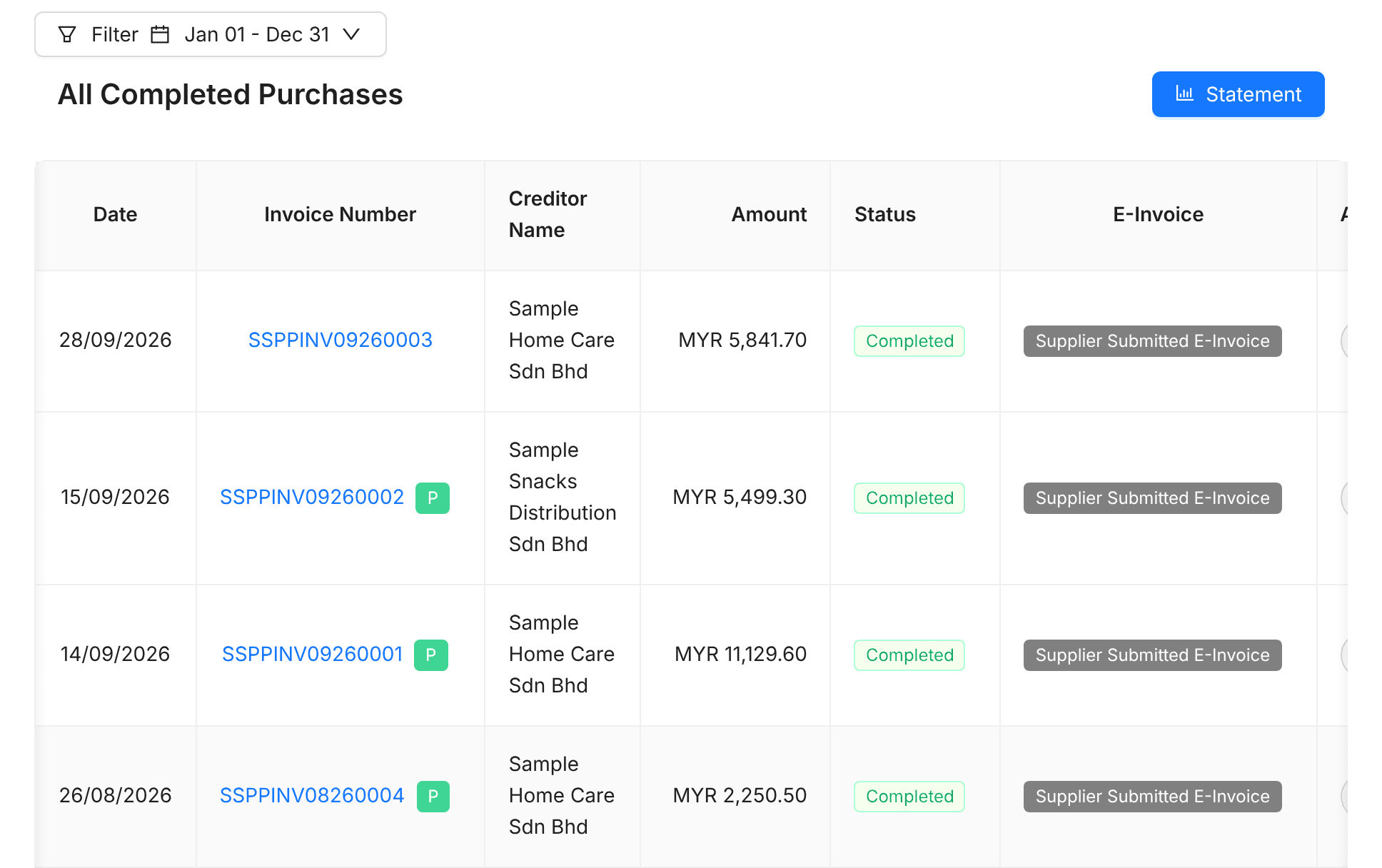
Keep every bill and receipt together.
Record what you buy and what you spend, not scattered across paper and chats.
- Purchase orders, bills and purchase returns
- Expenses and other income
- Each supplier's bills in one list
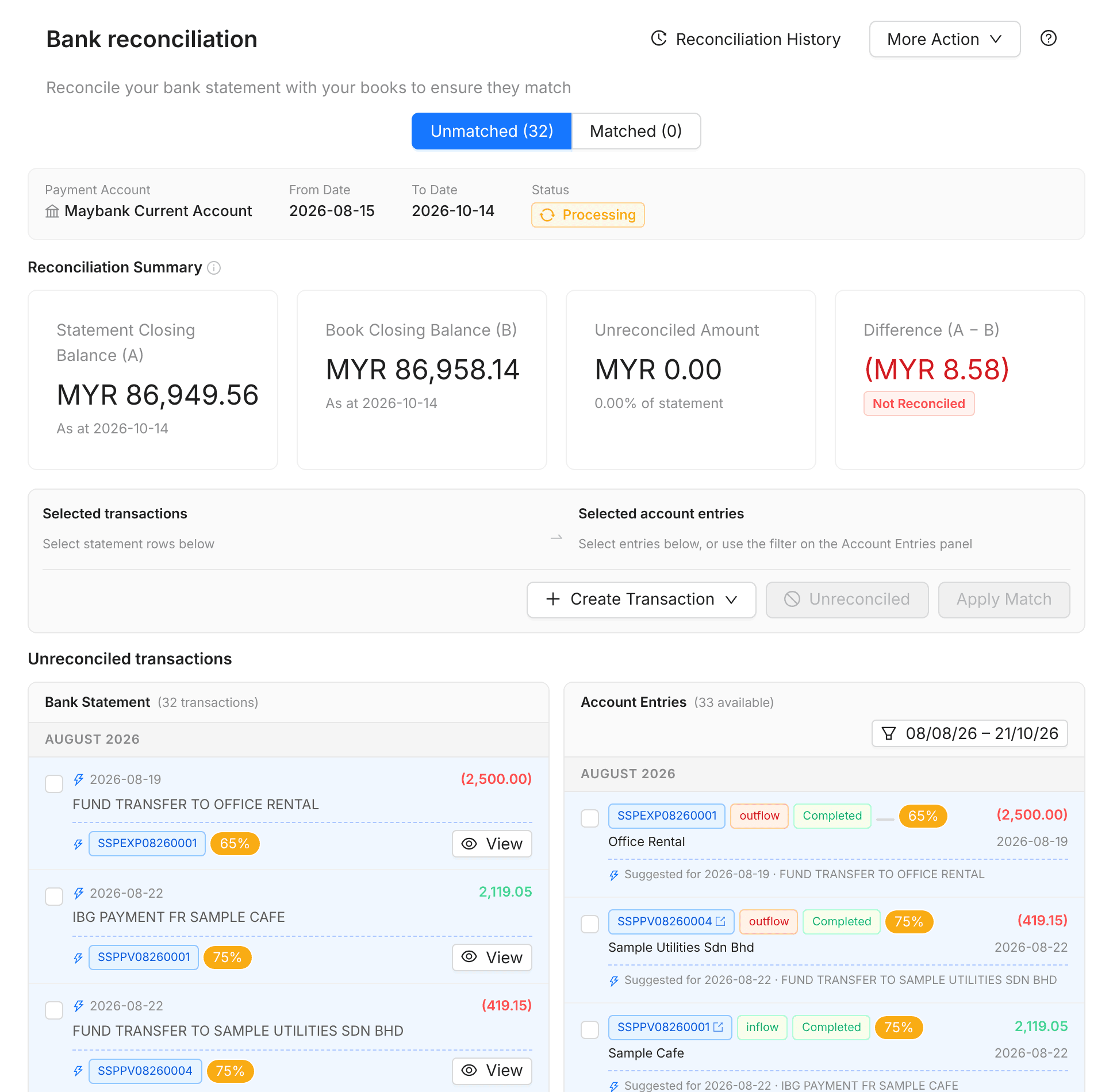
Match your bank statement without the spreadsheet.
Upload your statement and Duitbooks suggests a match for each line.
- Upload a Maybank PDF statement
- Suggested matches for each bank line
- Nothing is matched until you confirm it
Swipe to see all 5 →
Built for busy business owners.
Whether you're just starting or growing, Duitbooks keeps the books simple.
- Owner friendlyNo accounting background needed.
- One platformInvoices, bills and bank without switching tools.
- Free during betaNo credit card needed.
No more WhatsApp and Excel
Sales, stock and bank in sync
Bill the same clients every month
Practical guides for modern businesses.
Keep up with changes in e-invoicing, SST and everyday bookkeeping, explained for owners without an accounting background.


What SMEs ask before signing up
Is Duitbooks free?
Duitbooks is free during beta and needs no credit card.
Do I need a MyTax registration to send e-invoices?
Yes. Each business enters its own MyInvois Client ID and secret from its MyTax registration, plus its TIN, MSIC code and business activity.
Can I send invoices on WhatsApp?
Yes. Your customer receives a WhatsApp message with a secure link to the invoice PDF.
Which banks can I upload statements from?
Maybank PDF statements today. Matching suggestions are yours to confirm.
Does Duitbooks file my SST return?
No. You can mark products as taxable and print an SST statement, but Duitbooks does not file SST returns.
Where is my data stored?
On Google Cloud.
Getting started is easy.
- 1Sign up freeNo credit card needed.
- 2Add your MyInvois detailsClient ID, TIN and MSIC code.
- 3Send your first invoiceSubmit it to LHDN in one go.
- 4Match your bankUpload a statement, confirm matches.
Stuck on a step? Browse the setup guides →
Simplify your accounting. Start free today.
Invoices, e-invoice, bills, bank and reports in one place. No credit card needed.